Most BI developers begin their Power BI journey the same way: one PBIX file that does absolutely everything. It holds the data model, the queries, the measures, and all the report pages on top. It’s simple, self-contained, and easy to understand. That’s normal, no? Yes, absolutely — but let’s imagine a scenario where there are different teams, and they want the same dataset but tweaked in a different way for their purpose.
Since your semantic model is quite big in terms of size, you can usually just make adjustments and create multiple PBIX files for different audiences. This solution will work. But let’s understand what we are doing. After a few months, what started as one neat, well-understood PBIX turns into a small family of very similar files:
- Multiple PBIX files containing almost the same model
- KPIs that should mean the same thing but don’t quite match
- A growing fear that changing a core measure might break someone else’s report
- A file so heavy that opening it feels like loading a small video game
This is the point where many teams realise they aren’t just maintaining reports anymore — they’re maintaining variations of the same model. And that is usually when it’s time to step back and restructure things.
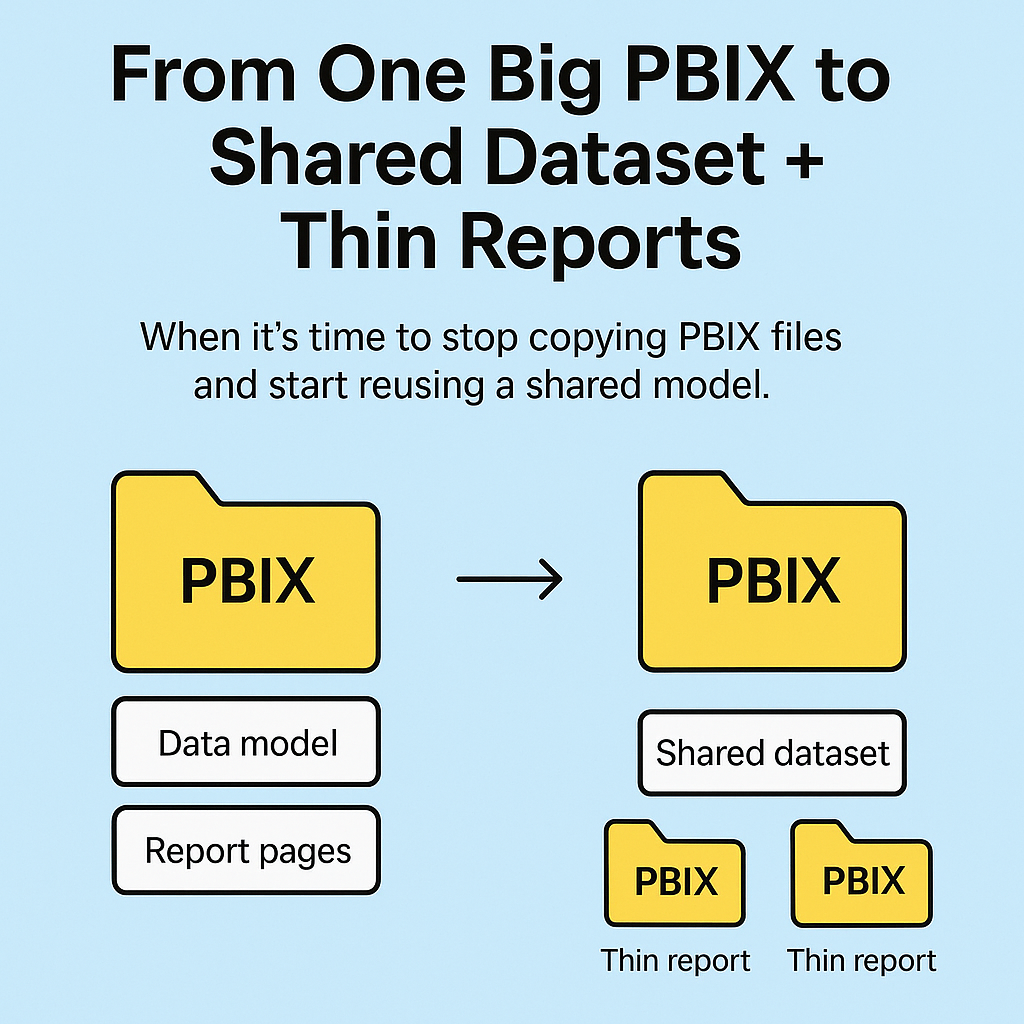
The solution isn’t complicated: split the big PBIX into a shared dataset and build thin reports on top of it.
When we make this shift, life becomes much easier:
- Your measures are defined in one place
- Different teams can have tailored reports without duplicating the model
- Fixes and enhancements flow automatically to all reports
- The overall setup becomes easier to maintain and scale
- You won’t be consuming Fabric capacity multiple times for the same model
In today’s blog, we’ll walk through what a shared dataset actually is, how thin reports work, when it’s worth splitting your PBIX, and a practical way to migrate without turning your project upside down.
What Do Shared Dataset and Thin Report Mean?
Let’s define them clearly before we move further.
In simple terms, the Shared Dataset contains the data model — tables, relationships, and measures — but no visuals. This becomes the single source of truth that everyone across teams should use because all the base KPIs are defined here.
Thin Reports, on the other hand, are reports that connect to the shared dataset instead of importing their own data. They contain visuals and report pages, but not the underlying data model.
When Do I Need to Move to Shared Datasets?
Not every report needs a shared dataset. A simple dashboard or quick analysis can live happily inside a single PBIX.
But as soon as a report becomes useful to more than one group — and your dataset starts growing — that’s a sign you should consider moving toward a shared dataset.
Here are the common signs:
-
Maintaining multiple versions of the same PBIX
The same underlying data is used in multiple reports with slightly different measures or tweaks. This creates duplicate models. -
Different teams defining the same KPIs separately
This leads to mismatches and endless debugging conversations. -
Your PBIX is getting heavier over time
It takes ages to open, refresh, or publish. Splitting the data model from visuals reduces this load. -
Governance becomes difficult
When everyone has their own version of the model, ensuring consistent KPI definitions becomes nearly impossible.
Pro tip: Shared datasets aren’t a magical cure for everything, but they are a major step toward maintainability and governance.
Step-by-Step Guide to Move from PBIX to Shared Dataset
-
Create a duplicate of your PBIX file.
Rename it something likeReport_Name_Shared_Dataset. -
Delete all report pages in the duplicate.
Keep only the data model, measures, and tables. -
Publish the dataset to your workspace.
-
Create a thin report.
Open a blank PBIX → Go to Get Data → Power BI Semantic Model → Connect to your shared dataset.
Now build visuals without worrying about data modelling.
It’s actually simple to set up. But without best practices, it can still cause problems.
Best Practices
-
Clear distinction between model and reports
The dataset is where your logic lives. Thin reports are just presentation layers. -
Treat the dataset as the source of truth
If KPI definitions change, you update them in one place. -
Don’t overload thin reports
Keep calculations inside the shared dataset. -
Make your dataset clean and business-friendly
Remove unused columns and measures. Use clear naming.
My personal checklist includes:
- Running Best Practice Analyzer
- Using Measure Killer to remove unused objects
- Using Tabular Editor to organise measures
- Double-checking data types and column names
Additional considerations:
-
Clear ownership is critical
A shared dataset needs a responsible owner to approve changes. -
Improve it gradually over time
Adding new measures or tables is fine — as long as changes are centralised. -
Set up security at the dataset level
Thin reports inherit security. You cannot test roles directly inside thin reports.
Where “Golden Datasets” Fit In
You may hear people talk about “golden datasets.” It sounds fancy, but it’s simply a shared dataset that has become the official source of truth for a business area.
A dataset becomes “golden” organically when:
- Multiple teams depend on it
- Someone clearly owns it
- Key business measures are defined there
- The organisation agrees it’s trusted
At that stage, businesses often:
- Move it into a dedicated data workspace
- Restrict editing rights
- Endorse or certify it in Power BI Service
- Document definitions
- Add approval processes for changes
The natural progression often looks like:
- One big PBIX
- Split into model + thin reports
- Model gets reused
- Model becomes trusted
- It evolves into a golden dataset
Don’t rush to label something “golden.” Let trust build naturally.
Wrap Up
A single PBIX file is a perfectly fine starting point.
But once you’re copying files for different teams, adjusting KPIs in multiple places, or worrying about breaking another version, it’s usually time to separate the model from the report layer.
A shared dataset gives you one place to define business logic. Thin reports allow each audience to build their own view without duplicating the model.
You don’t need enterprise-grade governance on day one. Most teams start with a simple split, then gradually improve ownership, naming conventions, security, and documentation.
If you’re juggling several PBIX files that look suspiciously similar, you’ve probably outgrown the one-file approach.
A shared dataset with thin reports isn’t a massive architectural leap — it’s just the next sensible step.
Subscribe
One practical Power BI tip per week. No spam.
Comments
Prefer not to sign in? Share your thoughts on LinkedIn I reply fastest there.